Security is not a switch that turns danger off. It is a set of choices that make common mistakes and attacks less likely to succeed, and make recovery possible when something still goes wrong. You can learn the ideas using fictional examples; never place real passwords in a course exercise.
6.1 Identity and access
Identification is a claim about who you are, such as an account name. Authentication checks that claim. Authorization decides what the authenticated account may do. Logging in to a shared document may prove your identity without giving you permission to edit it. These are different questions.
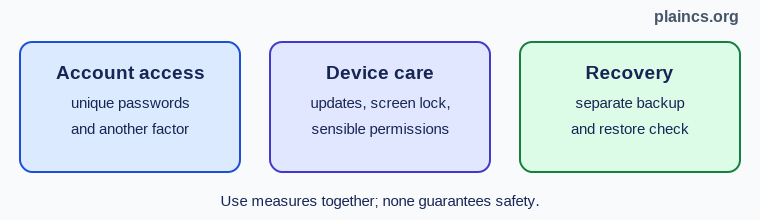
Use a unique, strong password for each important account. A password manager can create and keep them so you do not need to memorize dozens. Multifactor authentication adds another kind of proof, such as a device you control. A passkey uses cryptographic keys tied to a device or password manager and can resist many phishing attempts because it is linked to the real site. These tools reduce risk in different ways. They do not replace a recovery plan: you still need to know how you will regain access if a device is lost.
Check. If two accounts share a password, why does a breach of one put the other at risk? Answer: Someone who learns the password can try it on the second account. A unique password prevents that direct reuse.
6.2 Recognizing manipulation
An attacker may ask you to act quickly: “Your account closes in ten minutes. Click here.” This is social engineering—using pressure or deception to make a person do something. The message may be well written and include a familiar logo. Neither proves its source. The visible text of a link may differ from its actual destination, and a domain can resemble a real one while belonging to someone else.
If a message asks for an account action, open the known service through your own bookmark or app rather than the message’s link. Check there for the alert. If it concerns work or a shared device, use your organization’s normal support channel. Do not download an unexpected “viewer” or “security update” merely to open a file.
Worked example. A message says accounts.example.org needs your password, but the actual link leads to example-support-login.net. The second domain is different. Even if the page has a padlock, you have only established an encrypted connection to that other site.
6.3 Protecting devices and data
A screen lock helps keep someone holding your device from opening it. Software updates can close known weaknesses. App permissions limit what a program may reach. Install from sources you can verify and remove permissions that no longer fit the task. These measures work together; none guarantees safety.
Encryption changes readable data into a form that needs a key to read. It can protect stored data on a lost device and data in transit over a network. Hashing is different: it produces a fixed-length fingerprint used, among other things, to check integrity or store password verifiers. You do not normally “decrypt” a hash back into the original input. Good systems protect passwords with purpose-built password hashing, not plain text or simple reversible encoding.
Check. Does an encrypted connection mean the service cannot read the data you send? Answer: No. The service at the end of a normal HTTPS connection can usually read the data it receives. End-to-end encryption has a different design and scope.
6.4 Recovery is part of protection
A backup is useful only if you can restore from it. Keep a copy of important files separate from the everyday working location, then test recovery with a harmless sample. Decide who can access the backup and how long it is kept. A synchronized folder alone may copy accidental deletions or bad edits to every device.
If an account seems compromised, go to the service through a trusted route, change access credentials, review recent sessions and recovery options, and follow the service’s official recovery steps. If a device is lost, use the provider’s official device controls if available and contact workplace support when work data is involved. The right order depends on the situation; do not enter secrets into an unexpected message during a crisis.
Module activity. Make a plan for a fictional community group’s shared reading list. List who may view or edit it, how members authenticate, which files need backups, where the separate copy goes, and how to test a restore. Include one sentence explaining what to do if the account owner loses their phone.
Check. Does adding another login factor protect against a deleted file? Answer: It helps protect account access, not file recovery. A verified backup or version history addresses deletion.
The next module moves from protecting systems to describing what we want them to do.