Programming turns a method into instructions a computer can run. We will use Python because its short examples let us focus on the ideas. You can run the code in a local Python environment, use a trusted browser-based editor after checking its data policy, or trace the examples on paper. No account or package installation is required to understand the lessons.
8.1 Running and reading a tiny program
Read this before you run it. Predict what it prints.
minutes = 25
title = "A short story"
print(title)
print(minutes + 10)
The first two lines assign values to variables. minutes holds a number; title holds a string, or text. print sends a value to the output. The program prints A short story and then 35. It does not change the stored value of minutes when it prints minutes + 10. To change that value, you would assign a new one: minutes = minutes + 10.
The text "25" and the number 25 are not interchangeable. "25" + "10" joins strings to make "2510"; 25 + 10 makes 35. An error often starts with a mistaken assumption about what kind of value a variable holds.
Try it. Change minutes to 40 and predict both output lines again. If you cannot run the code, write the two lines on paper. Check: The title stays the same and the second line becomes 50.
8.2 Decisions and repeated work
A condition is a question with a true or false result. An if statement chooses a path. A for loop repeats work for each item in a collection. Python uses indentation to show which lines belong to each block.
sessions = [20, 15, 25]
total = 0
for minutes in sessions:
    if minutes < 0:
        print("Invalid session")
    else:
        total = total + minutes
print(total)
This prints 60. The final print is outside the loop because it has no indentation. If it were inside, it would print a running total after each session. A loop needs a sensible end. This for loop ends when it has visited every item, including when there are none. A while loop can keep going forever if the condition never becomes false.
Trace it. For [20, 15], write the value of total before and after each pass. It begins at 0, then becomes 20, then 35. With [-5, 20], this version prints a warning and then 20; it does not reject the entire log. That differs from the algorithm in module 7. The difference is a design choice we should make explicitly.
8.3 Functions and collections
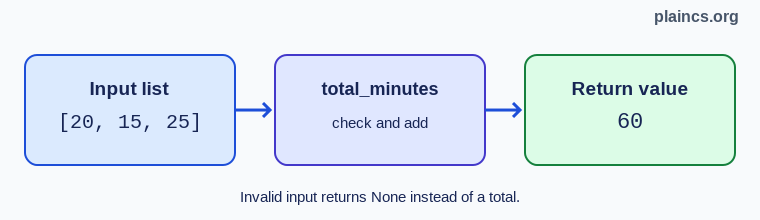
A function gives a name to an operation. A parameter lets the caller supply data. A return value lets the function give a result back. Here the function returns the total for a list of sessions, or None if an entry fails the rule.
def total_minutes(sessions):
    total = 0
    for minutes in sessions:
        if not isinstance(minutes, (int, float)) or minutes < 0:
            return None
        total = total + minutes
    return total

print(total_minutes([20, 15, 25]))  # 60
print(total_minutes([]))            # 0
print(total_minutes([20, -5]))      # None
A list keeps several values in order. A dictionary connects names to values, such as {"title": "A short story", "minutes": 25}. We could use a list of dictionaries for richer sessions, but a list of numbers is enough to learn the function first. None is a marker for “no valid result” here; it is not the number zero. The caller must check it before calculating an average.
Check. Why does the function return 0 for an empty list? Answer: It starts at 0 and the loop does no additions. Whether 0 is the right output is a product decision; for a total it is sensible, while an average needs special handling.
8.4 Debugging and checking the result
Errors come in different forms. Missing a colon after def is a syntax error: Python cannot read the program. Dividing by zero is a runtime error: the program starts but fails during execution. Producing 20 when the correct total is 35 is a logic error: the program runs but gives the wrong answer. The last kind can be the hardest to notice.
For an average, first get a valid total, then check whether the list is empty:
def average_minutes(sessions):
    total = total_minutes(sessions)
    if total is None or len(sessions) == 0:
        return None
    return total / len(sessions)
len gives the number of entries. Empty input returns None because there is no average. Invalid input also returns None; a larger program might report which case happened. When debugging, reproduce the problem with a small example, read the error or wrong output carefully, and compare it with the result you expected. Change one thing and check again.
Module activity. Predict the results for [20, 15, 25], [], and [20, "unknown"] before running either function. The valid average is 20. The other two averages are None. Note that Python treats True as an integer in isinstance(True, int); a production validator should decide whether to reject booleans. This is one example of why “the code runs” is not the same as “the rules are complete.”
Check. An AI tool suggests a replacement function. What should you do? Answer: Trace it on normal, empty, and invalid cases, compare it with the stated rule, and use only code you can explain. A plausible suggestion is not a verified program.
The next module asks how to organize many entries so they answer useful questions.